Powrót do poradników
Rozwiązywanie problemów: oszczędzanie baterii i marki telefonów
Samsung, Xiaomi, OnePlus — co sprawdzić, gdy automatyczne ściszanie przestaje działać.
5 min
intermediateKrok 1 / 425% Ukończono
1
Auto-reduce stopped firing after a while
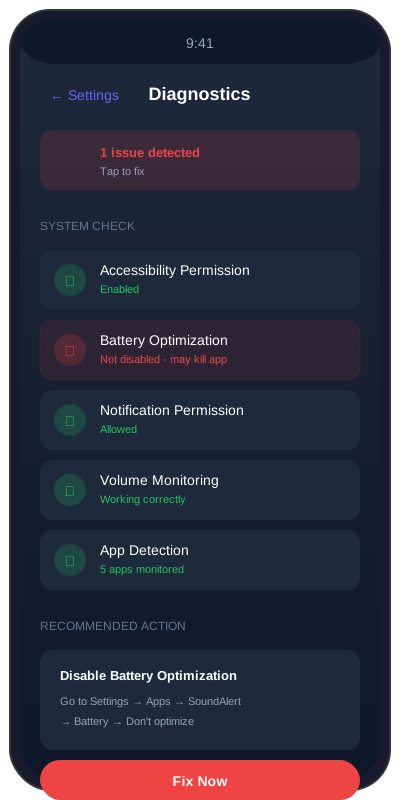
Usually a battery-saver killing the background service. Open SoundAlert Dashboard → if the Protection toggle says ON but nothing happens in YouTube, the service has been killed. Fix: grant battery-optimization exemption.
Wskazówki
- •Android Settings → Battery → Battery optimization → SoundAlert → Don't optimize
- •Samsung: Settings → Battery → App usage → SoundAlert → Unrestricted
- •Xiaomi MIUI: App info → Battery saver → No restrictions + Autostart ON
- •OnePlus/OPPO: App info → Battery → Allow background activity
Ważne uwagi
- •SoundAlert asks for this only once. If you tapped "Not now", it won't ask again — use the paths above.