Do Volume Apps Need Microphone Access? Reading App Permissions
An app that changes your volume doesn't need to listen to anything. How to read Android permissions and a Data safety section, with a volume app as the example.
SoundAlert Team
SoundAlert
When you install an app that works with sound, it's fair to wonder what it can see and hear. Do sound apps need microphone permission? It depends on what the app does, and you can usually tell from its permissions and its Data safety section. Here's how to read both, with a volume app as the example.
Two very different kinds of "sound app"
- •Apps that measure the sound around you, such as sound meters, need the microphone. That's how they hear the room.
- •Apps that manage your phone's volume setting don't. The volume is a number your phone already knows, and changing it doesn't require listening to anything.
So the first question is simple: does this app measure sound, or does it change a setting? If it only changes settings, a microphone request deserves a closer look.
Permissions worth understanding
Microphone
Lets an app record or analyze audio. You'd expect it for recording, calls, voice features and sound measurement. It isn't needed for changing volume.
Camera, location and contacts
A volume app rarely needs these. If one asks, look for the feature that uses them, and decide whether you want that feature.
Accessibility service
A powerful permission: it lets an app observe and interact with what's on your screen. It has real uses, especially for people who rely on assistive features, but it's a lot of access for an app that only needs to know which app is open.
Display over other apps
Lets an app draw on top of other apps, for example pop-ups or floating buttons.
Do Not Disturb access
Lets an app change Do Not Disturb, which affects calls, notifications and alarms. A volume app that only changes media volume doesn't need it.
Usage access
Lets an app see which app is in the foreground and app usage statistics. It doesn't show the app what's inside other apps. It's a special permission you switch on in Settings, not in a pop-up.
Modify audio settings
Lets an app change the volume. Android grants it automatically, and a volume app can't work without it.
How to read the Data safety section
Every app's Google Play page has a Data safety section where the developer describes what data the app collects and shares, and why.
- •Google Play's idea of "collecting" is about data that leaves your device. "No data collected" means the developer declares that the app doesn't send user data off your phone.
- •Look at what is collected (for example location, contacts, app activity or device IDs) and why (app functionality, analytics, advertising).
- •Check whether any data is shared with other companies.
- •Compare it with the permission list. Permissions show what an app can access; Data safety describes what the developer says happens with the data.
Data safety is the developer's own declaration, so reading it together with the permissions gives you a fuller picture.
Check permissions on your own phone
- 1.Open Settings → Apps and tap the app. Names vary by phone.
- 2.Tap Permissions to see what's allowed and what isn't.
- 3.Special permissions, such as usage access or "display over other apps", are listed separately. Look for Special app access (on Samsung: Apps → ⋮ → Special access).
You can turn off any permission you aren't comfortable with. Features that rely on it will stop working.
Example: what SoundAlert uses
SoundAlert lowers your media volume automatically in the apps you choose. It works with the volume setting, not with sound, so its list is short:
- •Usage access: to know which app is in front, so your limit applies only in the apps you chose. Nothing is recorded or sent.
- •Modify audio settings: to lower the media volume.
- •Notifications: for the confirmation when it lowers the volume, the REDUCE NOW / Keep alert, and the ongoing notification while protection is on.
- •A few that Android grants automatically: running as a foreground service, staying awake while it works, starting again after a reboot, vibration, and Google Play billing for purchases.
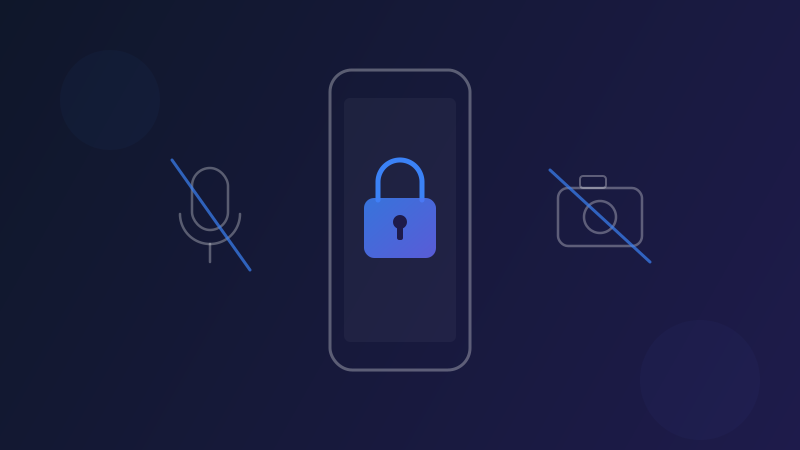
And what it doesn't use: no microphone, no camera, no location, no contacts, no accessibility service, no "display over other apps", no Do Not Disturb access and no advertising ID.
Its Google Play Data safety section says "No data collected". There's no account, no ads and no analytics. Your settings and counters stay on your phone, and the monitoring works offline; the internet is only used for purchases and prices.
The short version
- •Apps that measure sound need the microphone. Apps that change your volume setting don't.
- •Read permissions for what an app can access, and Data safety for what the developer says it does with data.
- •A media volume app can work with usage access, audio settings and notifications, without a microphone or camera.
Get SoundAlert on Google Play. No microphone, no camera, no data collected.
Ready for No More Loud Surprises?
Download SoundAlert for free and let it lower your volume automatically — before anyone hears.
Download Free